Thursday, May 30, 2013
If Google understands your website’s content in a structured way, we can present that content more
accurately and more attractively to Google users. For example, our algorithms can enhance your
search results with
“rich snippets”
when we understand that your page is a structured product listing, event, recipe, review, or
similar. We can also feature your data in
Knowledge Graph
panels or in
Google Now
cards, helping to spread the word about your content.
Today we’re excited to announce two features that make it simpler than ever before to participate
in structured data features. The first is an expansion of Data Highlighter to seven new types of
structured data. The second is a brand new tool, the Structured Data Markup Helper.
Support for Products, Businesses, Reviews and more in Data Highlighter
Data Highlighter
launched in
December 2012 as a
point-and-click tool for teaching Google the pattern of structured data about
events on your website—without even
having to edit your site’s HTML. Now, you can also use Data Highlighter to teach us about many
other kinds of structured data on your site:
products,
local businesses,
articles,
software applications,
movies,
restaurants, and
TV episodes.
To get started, visit
Webmaster Tools, select
your site, click the “Optimization” link in the left sidebar, and click “Data Highlighter”. You’ll
be prompted to enter the URL of a typically structured page on your site (for example, a product
or event’s detail page) and “tag” its key fields with your mouse.
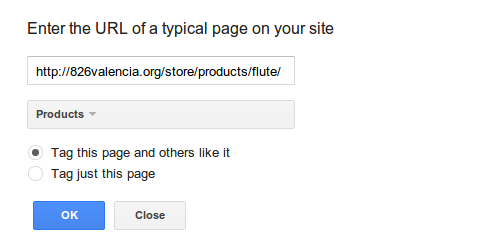
The tagging process takes about 5 minutes for a single page, or about 15 minutes for a pattern of
consistently formatted pages. At the end of the process, you’ll have the chance to verify Google’s
understanding of your structured data and, if it’s correct, “publish” it to Google. Then, as your
site is recrawled over time, your site will become eligible for enhanced displays of information
like prices, reviews, and ratings right in the Google search results.
New Structured Data Markup Helper tool
While Data Highlighter is a great way to quickly teach Google about your site’s structured data
without having to edit your HTML, it’s ultimately preferable to embed structured data markup
directly into your web pages, so your structured content is available to everyone. To assist web
authors with that task, we’re happy to announce a new tool: the
Structured Data Markup Helper.
Like in Data Highlighter, you start by submitting a web page (URL or HTML source) and using your
mouse to “tag” the key properties of the relevant data type. When you’re done, the Structured Data
Markup Helper generates sample HTML code with microdata markup included. This code can be
downloaded and used as a guide as you implement structured data on your website.

The Structured Data Markup Helper supports a subset of data types, including all the types
supported by Data Highlighter as well as several types used for
embedding structured data in Gmail.
Consult schema.org for complete schema documentation.
We hope these two tools make it easier for all websites to participate in Google’s growing suite
of structured data features! As always, please post in our
forums
if you have any questions or feedback.
How we apply this
Google announcements age. We keep this post here for the record, and we note for clients whether the behaviour it describes still applies today or has since been superseded.
Related services