Monday, February 05, 2018
We’re happy to announce that we are introducing another audit category to the Lighthouse Chrome
Extension: SEO Audits.
Lighthouse is an open-source, automated
auditing tool for improving the quality of web pages. It provides a well-lit path for improving
the quality of sites by allowing developers to run audits for performance, accessibility,
progressive web apps compatibility and more. Basically, it “keeps you from crashing into the
rocks”, hence the name Lighthouse.
The SEO audit category within Lighthouse enables developers and webmasters to run a basic SEO
health-check for any web page that identifies potential areas for improvement. Lighthouse runs
locally in your Chrome browser, enabling you to run the SEO audits on pages in a staging
environment as well as on live pages, public pages and pages that require authentication.
Bringing SEO best practices to you
The current list of SEO audits is not an exhaustive list, nor does it make any SEO guarantees for
Google websearch or other search engines. The current list of audits was designed to validate and
reflect the SEO basics that every site should get right, and provides detailed guidance to
developers and SEO practitioners of all skill levels. In the future, we hope to add more and more
in-depth audits and guidance—let us know if you have suggestions for specific audits you’d like
to see!
How to use it
Currently there are two ways to run these audits.
Using the Lighthouse Chrome Extension:
- Install the
Lighthouse Chrome Extension - Click on the Lighthouse icon in the extension bar
- Select the Options menu, tick “SEO” and click OK, then Generate report

Using Chrome Developer tools on
Chrome Canary:
- Open Chrome Developer Tools
- Go to Audits
- Click Perform an audit
- Tick the “SEO” checkbox and click Run Audit.
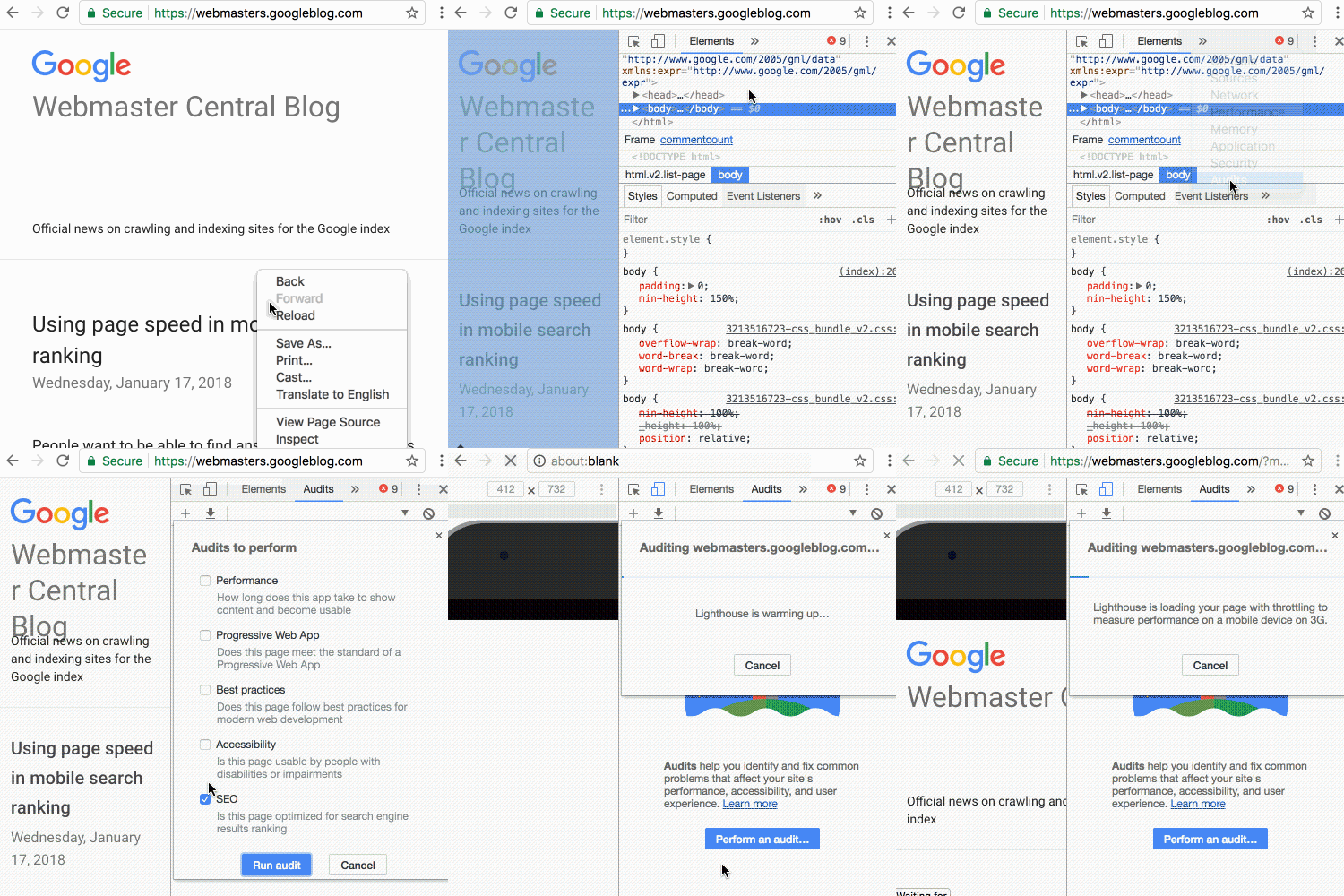
The current
Lighthouse Chrome extension
contains an initial set of SEO audits which we’re planning to extend and enhance in the future.
Once we’re confident of its functionality, we’ll make the audits available by default in the
stable release of Chrome Developer Tools.
We hope you find this functionality useful for your current and future projects. If these basic
SEO tips are totally new to you and you find yourself interested in this area, make sure to read
our complete
SEO starter-guide! Leave your feedback and
suggestions on GitHub
or on our Webmaster
forum.
Happy auditing!
How we apply this
Google announcements age. We keep this post here for the record, and we note for clients whether the behaviour it describes still applies today or has since been superseded.
Related services