Tuesday, April 12, 2016
Cross-posted from the
Google Security Blog.
In
November,
we announced that Safe Browsing would protect you from social engineering attacks—deceptive
tactics that try to trick you into doing something dangerous, like installing
unwanted software
or
revealing your personal information
(for example, passwords, phone numbers, or credit cards). You may have encountered social
engineering in a deceptive download button, or an image ad that falsely claims your system is out
of date. Today, we’re expanding Safe Browsing protection to protect you from such deceptive
embedded content, like social engineering ads.
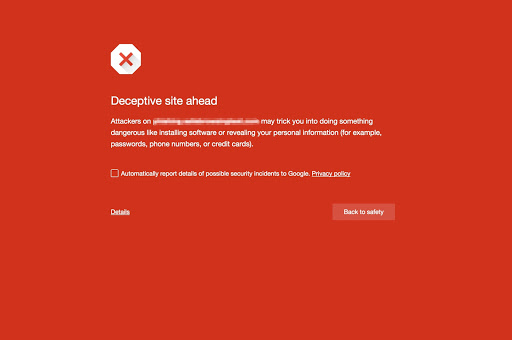
Consistent with the social engineering policy we announced in November, embedded content (like
ads) on a web page will be considered social engineering when they either:
- Pretend to act, or look and feel, like a trusted entity—like your own device or browser,
or the website itself. - Try to trick you into doing something you’d only do for a trusted entity—like sharing a
password or calling tech support.
Below are some examples of deceptive content, shown via ads:

This image claims that your software is out-of-date to trick you into clicking “update”.

This image mimics a dialogue from the FLV software developer—but it does not actually
originate from this developer.

These buttons seem like they will produce content that relate to the site (like a TV show or
sports video stream) by mimicking the site’s look and feel. They are often not distinguishable
from the rest of the page.
Our fight against unwanted software and social engineering is still just beginning. We’ll continue
to improve Google’s
Safe Browsing
protection to help more people stay safe online.
Will my site be affected?
If visitors to your web site consistently see social engineering content, Google Safe Browsing may
warn users when they visit the site. If your site is flagged for containing social engineering
content, you should troubleshoot with Search Console. Check out our
social engineering help for webmasters.
How we apply this
We archive Search Central announcements because client questions often trace back to a change that was announced years ago. Reading the original is faster than reconstructing it from second-hand summaries.
Related services