Dienstag, 7. Juli 2009
Mit dem neuen
Wegbeschreibung-Gadget
von Google Maps kann jedes Unternehmen maßgeschneiderte Google Maps-Wegbeschreibungen zu seinen Unternehmensstandorten anbieten. Mit dem Wegbeschreibung-Gadget müssen Sie nicht länger mehrere Textbeschreibungen eingeben und aktualisieren. Seien wir ehrlich: Kunden suchen nur nach Wegbeschreibungen von ihrem jeweiligen Standort aus.
Letzte Woche habe ich nach einer Wegbeschreibung zu dem Hotel in Sacramento gesucht, das ich für das Wochenende zum 4. Juli gebucht hatte. Da ich noch nie in diesem Teil des Bundesstaates war, war ich ratlos wegen der begrenzten Wegbeschreibungen auf deren Website – ich hatte keine Ahnung, ob ich mich von Norden, Süden, Osten oder Westen näherte oder wo die Hauptverkehrsstraßen verlauten. Was ich brauchte, war eine Schritt-für-Schritt-Wegbeschreibung von meinem genauen Startpunkt zum Hotel, die ich einfach ausdrucken und losgehen konnte.
Google hat Ihnen diesen Prozess erleichtert. Durch das Kopieren und Einfügen einer einzigen Codezeile kann jede Website ihren Benutzern maßgeschneiderte Tür-zu-Tür-Wegbeschreibungen anbieten, die von Google Maps unterstützt werden.
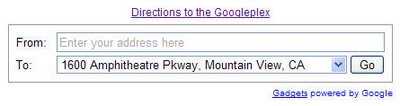
Mit dem Gadget können Sie das Feld „Nach“ mit einer oder mehreren Adressen vorab ausfüllen. Kunden können ihre Wegbeschreibung mit einem Klick ausdrucken. Und für diejenigen, die nicht gerne Auto fahren, bietet das Gadget auch Fußgänger- und ÖPNV-Wegbeschreibungen.
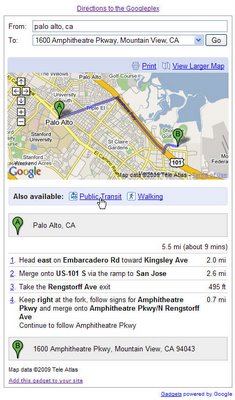
Wenn jemand eine vage Startadresse eingibt, hat er die Möglichkeit, eine genauere Adresse anzugeben, die dann in das Feld „Von“ übernommen wird.
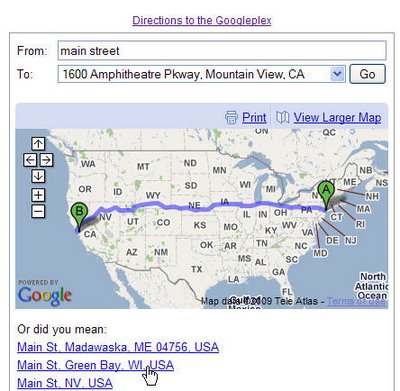
Die Bereitstellung von Wegbeschreibungen von Google Maps ist äußerst flexibel; zusätzlich zu alltäglichen Adressen können Sie Ihren Kunden Wegbeschreibungen zu allem bieten, von einer generischen Postleitzahl bis hin zu bestimmten Längen- und Breitengradkoordinaten für jeden Ihrer Standorte. Beispiel-Ziele:
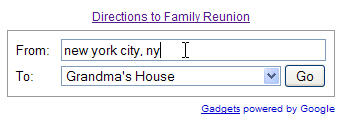
Sie können Ihrer Adresse auch einen Aliasgeben oder einen Namen, den jeder versteht. Sie können dies tun, indem Sie den Alias in Klammern direkt nach der Adresse setzen:
Werfen Sie einen Blick darauf, wie
Legoland California,
Emeril Lagasseund
Harvard University
das Gadget nutzen. Und dann
testen und erstellen Sie Ihr eigenes Wegbeschreibung-Gadget. Für viele Standorte außerhalb der USA ist das Gadget in 23 verschiedenen Sprachen verfügbar.
So setzen wir das um
We archive Search Central announcements because client questions often trace back to a change that was announced years ago. Reading the original is faster than reconstructing it from second-hand summaries.
Verwandte Leistungen