Mittwoch, 11. Oktober 2006
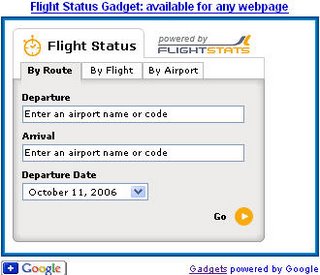
Google Gadgets sind miniaturisierte Geräte, die coole und dynamische Inhalte bieten – es können Spiele, Nachrichtenaclips, Wetterberichte, Karten oder fast alles sein, was Sie sich vorstellen können. Es gibt sie schon seit einiger Zeit, aber ihre Reichweite wurde letzte Woche viel größer, als wir es jedem ermöglicht haben, Gadgets zu seinen eigenen Webseiten hinzuzufügen. Hier ist zum Beispiel ein Beispiel für einen Flugstatus-Tracker, der auf jeder beliebigen Seite im Web platziert werden kann.
Jeder kann in unserem Verzeichnis nach Gadgets suchen, die er zu seiner eigenen Webseite hinzufügen kann
Gadgets für Ihre Webseite. Um ein Gadget auf Ihrer Seite zu platzieren, wählen Sie einfach das gewünschte Gadget aus, legen Sie Ihre Einstellungen fest und kopieren Sie das für Sie generierte HTML und fügen Sie es auf Ihrer eigenen Seite ein.
Es ist auch nicht schwer, Gadgets für andere zu erstellen, und es kann eine großartige Möglichkeit sein, Ihre Inhalte den Leuten zu präsentieren, während sie Google oder andere Websites besuchen. Hier sind ein paar Vorschläge für die Verbreitung Ihrer eigenen Inhalte auf der Google-Homepage oder anderen Seiten im Web:
- Erstellen Sie ein Google Gadget
zur Verteilung im gesamten Web. Gadgets können fast alles sein, von einfachem HTML bis hin zu komplexen Anwendungen. Es ist einfach, mit Gadgets zu experimentieren – jeder mit auch nur ein wenig Webdesign-Erfahrung kann ein einfaches erstellen (sogar ich!), und fortgeschrittenere Programmierer können wirklich schicke, komplexe erstellen. Aber denken Sie daran, es ist auch schnell und einfach für Leute, Gadgets zu löschen oder neue zu ihren eigenen Seiten hinzuzufügen. Um sicherzustellen, dass Ihr Gadget im Web beliebt ist, stellen wir Ihnen einige
Richtlinien
zur Verfügung, mit denen Sie Gadgets erstellen können. Je öfter die Leute Ihre Inhalte nützlich finden, desto länger behalten sie Ihr Gadget auf ihren Seiten und desto öfter besuchen sie Ihre Website. - Wenn Ihre Website einen Feed hat, können Besucher schnell und einfach Ausschnitte Ihrer Inhalte auf ihren eigenen Google-Homepages platzieren, und Sie müssen nicht einmal ein Gadget entwickeln. Mit einem Gadget können Sie deren Erlebnis jedoch viel umfassender anpassen als mit einem Feed.
- Durch das Platzieren des “Zu Google hinzufügen”-Buttons an prominenter Stelle auf Ihrer Website können Sie die Reichweite Ihrer Inhalte erhöhen, da Besucher, die klicken, um Ihr Gadget oder Ihren Feed zu Google hinzuzufügen, Ihre Inhalte jedes Mal sehen können, wenn sie die Google-Homepage besuchen. Die Bewerbung Ihres eigenen Gadgets oder Feeds kann auch dessen Popularität steigern, was zu einem besseren Ranking im Verzeichnis von beiträgt
Gadgets für die personalisierte Google-Homepage.
So setzen wir das um
We archive Search Central announcements because client questions often trace back to a change that was announced years ago. Reading the original is faster than reconstructing it from second-hand summaries.
Verwandte Leistungen