Mercredi 11 octobre 2006
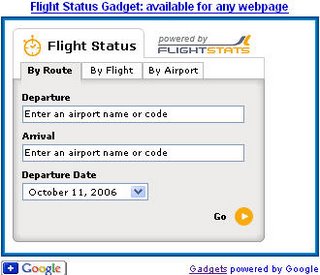
Les Google Gadgets sont des appareils miniatures qui offrent un contenu attrayant et dynamique : il peut s’agir de jeux, de clips d’actualité, de bulletins météo, de cartes ou de presque tout ce que vous pouvez imaginer. Ils existent depuis un certain temps, mais leur portée est devenue beaucoup plus large la semaine dernière lorsque nous avons permis à quiconque d’ajouter des gadgets à ses propres pages Web. Voici un exemple de suivi de l’état des vols, par exemple, qui peut être placé sur n’importe quelle page du Web.
N’importe qui peut rechercher des gadgets à ajouter à sa propre page Web dans notre répertoire de
gadgets pour votre page Web. Pour placer un gadget sur votre page, choisissez simplement le gadget que vous aimez, définissez vos préférences et copiez-collez le code HTML généré pour vous sur votre propre page.
Créer des gadgets pour les autres n’est pas difficile non plus, et cela peut être un excellent moyen de présenter votre contenu aux internautes lorsqu’ils visitent Google ou d’autres sites. Voici quelques suggestions pour diffuser votre propre contenu sur la page d’accueil de Google ou sur d’autres pages du Web :
- Créez un Google Gadget
pour une distribution sur le Web. Les gadgets peuvent être presque tout, du simple HTML aux applications complexes. Il est facile d’expérimenter avec les gadgets – toute personne ayant ne serait-ce qu’un peu d’expérience en conception Web peut en créer un simple (même moi !), et les programmeurs plus avancés peuvent en créer des vraiment élégants et complexes. Mais n’oubliez pas qu’il est également rapide et facile pour les utilisateurs de supprimer des gadgets ou d’en ajouter de nouveaux sur leurs propres pages. Pour vous aider à vous assurer que votre gadget sera populaire sur le Web, nous fournissons quelques
directives
que vous pouvez utiliser pour créer des gadgets. Plus les internautes trouveront votre contenu utile, plus ils conserveront votre gadget sur leurs pages longtemps et plus ils visiteront votre site. - Si votre site Web dispose d’un flux, les visiteurs peuvent placer des extraits de votre contenu sur leurs propres pages d’accueil Google rapidement et facilement, et vous n’avez même pas besoin de développer un gadget. Cependant, vous pourrez personnaliser leur expérience beaucoup plus complètement avec un gadget qu’avec un flux.
- En plaçant le bouton “Ajouter à Google” à un endroit bien en vue sur votre site, vous pouvez étendre la portée de votre contenu, car les visiteurs qui cliquent pour ajouter votre gadget ou votre flux à Google peuvent voir votre contenu chaque fois qu’ils visitent la page d’accueil de Google. Promouvoir votre propre gadget ou flux peut également accroître sa popularité, ce qui contribue à un meilleur classement dans le répertoire des
gadgets pour la page d’accueil personnalisée de Google.
Comment nous l'appliquons
We archive Search Central announcements because client questions often trace back to a change that was announced years ago. Reading the original is faster than reconstructing it from second-hand summaries.
Services associés