Şunları geliştirebilirsiniz: AMP içeriğinizi Google Arama’da temel bir AMP sayfası oluşturarak, yapılandırılmış veriler ekleyerek, sayfalarınızı izleyerek ve codelab’ler ile pratik yaparak geliştirebilirsiniz.
Temel bir AMP sayfası oluşturun
- İlk AMP sayfanızı oluşturun.
- Şu kuralları takip edin: AMP sayfaları için Google Arama yönergeleri.
- İçeriğinizi
sayfalarınızı bağlayarak keşfedilebilir hale getirin. Tarama ve dizine ekleme için Google Arama, bir AMP sayfasının şuna bağlanmasını gerektirir:
kurallı (canonical) sayfa. Kurallı sayfa, sayfanın AMP olmayan bir sürümü olabileceği gibi AMP sayfasının kendisi de olabilir. - Kullanıcıların mümkün olan durumlarda, karşılık gelen kurallı sayfalarda olduğu gibi AMP sayfalarında da aynı içeriği deneyimleyebilmelerini ve aynı işlemleri gerçekleştirebilmelerini sağlayın.
- Şunu kullanın: AMP Test Aracı sayfanızın geçerli bir AMP HTML belgesi için Google Arama gereksinimlerini karşıladığından emin olmak için.
- Aynı
yapılandırılmış veri işaretlemesini hem kurallı hem de AMP sayfalarında kullanın. - Yaygın içerik en iyi uygulamalarını uygulayın:

- Şundan emin olun: robots.txt dosyanız AMP sayfanızı engellemiyor.
Şunları kullanın: robotsmetaetiketleri,
data-nosnippet, veX-Robots-Taguygun olduğunda. - Şunun için yönergeleri izleyin:
dil ve bölgesel URL’ler için hreflang. AMP’ye özel örnekler için şuraya bakın:
Uluslararasılaştırma.
- Şundan emin olun: robots.txt dosyanız AMP sayfanızı engellemiyor.
Bir CMS kullanarak AMP sayfası oluşturun
Web içeriğinizi bir İçerik Yönetim Sistemi (CMS) aracılığıyla sunuyorsanız, mevcut bir CMS eklentisini (örneğin WordPress, Drupalveya Joomla için) kullanabilir veya AMP içeriği oluşturmak için CMS’nizde özel işlevler uygulayabilirsiniz. CMS’nizi özelleştirmeyi düşünüyorsanız, şunlara ek olarak bu yönergeleri izleyin: Temel bir AMP sayfası oluşturun:
- AMP HTML dosyalarının sitenizin URL yolu şemasına nasıl uyacağını düşünün. Kurallı, AMP olmayan bir sayfaya ek olarak bir AMP sayfası oluşturuyorsanız, aşağıdaki URL şemalarından birini seçmenizi öneririz:
- https://www.example.com/myarticle/amp
- https://www.example.com/myarticle.amp.html
- Yapılandırılmış bir veri işaretleme şablonu geliştirin. İşte bazı yönergeler:
- Şablonu, yayınladığınız içerik türüne yönelik gereksinimlere göre oluşturun.
- Şuraya başvurun: AMP Projesi meta veri örnekleri tarifler, makaleler, videolar ve incelemeler için örnek şablonlar için.
Zengin sonuçlar için optimize edin
Sayfanızın arama sonuçlarındaki görünümünü iyileştirmek için yapılandırılmış verileri kullanabilirsiniz. Yapılandırılmış verilere sahip AMP sayfaları, zengin sonuçolarak görünebilir (Öne çıkan haberler atlıkarıncası veya ana bilgisayar atlıkarıncası gibi).
- Yapılandırılmış verileri uygulayın.
- Yapılandırılmış verilerinizin doğru ayrıştırıldığını doğrulamak için şunu kullanın: Zengin Sonuçlar Testi.
- Eksiksiz AMP kurulumunuzu doğrulamak için şunu kullanın: AMP Test Aracı.
Sayfalarınızı izleyin ve iyileştirin
Aşağıdaki raporları izleyerek tüm AMP sayfalarınızı periyodik olarak kontrol edin:
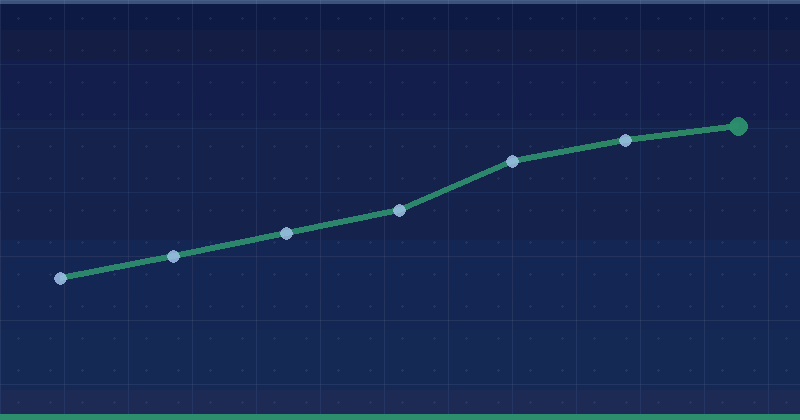
- AMP durum raporu: AMP sayfalarınızın büyük bir kısmını etkileyebilecek site şablonu oluşturma ve diğer site genelindeki uygulama sorunlarını yakalayın.
- Zengin sonuç durum raporları: Yapılandırılmış verilerinizle ilgili sorunları ve ek yapılandırılmış veriler sağlama fırsatlarını belirleyin.
AMP sayfalarınızın Google Arama sonuçlarında sunulmasını durdurmanız gerekirse, şunu izleyin: AMP’yi Google Arama sonuçlarından kaldırma.
Codelab’ler ile pratik yapın
AMP sayfaları oluşturma pratiği yapmak için bazı codelab’ler:
- AMP sayfalarının nasıl oluşturulacağını öğrenin: AMP temelleri codelab’i.
- AMP sayfalarınıza analiz, video yerleştirme, sosyal medya entegrasyonu ve resim atlıkarıncaları gibi özellikler ekleyin: İleri düzey kavramlar codelab’i.
- Şunu oluşturun: güzel, etkileşimli ve kurallı AMP sayfaları codelab’i birçok AMP özelliğini ve genişletilmiş bileşeni içeren.
- AMP bileşenlerini kullanarak bir PWA
deneyimi oluşturun: AMP+PWA codelab’i.
Kaynaklar
Artık AMP sayfalarınızı oluşturduğunuza göre, AMP için diğer Google ürün entegrasyonları hakkında daha fazla bilgi edinmek için bazı kaynaklar:
- Nasıl yapılacağını öğrenin: AMP reklam birimleri oluşturun.
- Nasıl yapılacağını öğrenin: AMP sayfalarınızdan para kazanın.
- Şunu kullanın: Google Tag Manager pazarlama girişimlerini optimize etmek ve ölçmek için.
- Şunu ekleyin: AMP sayfalarınıza analiz yerleşik Google Analytics desteği ile kullanıcı etkileşimlerini takip etmek için.
Biz bunu nasıl uyguluyoruz
Where a publisher still runs AMP, the enhancement rules decide whether the investment returns anything. We check these before recommending either continued maintenance or a migration plan.
İlgili hizmetler