Google’da e-ticaret içeriğinizin görünebileceği, arama sonuçları ve Google Haritalar gibi birden fazla yüzey bulunur. Doğru içeriği uygun Google yüzeyinde sunmak, yeni potansiyel müşterilere ulaşmanıza yardımcı olabilir.
Google, e-ticaret içeriğini aşağıdaki yüzeylerde görüntüleyebilir:
| Yüzeyler | |
|---|---|
Google AramaGoogle Arama’daki sıralamanızı iyileştirebilecek teknikler hakkında daha fazla bilgi edinmek için şuraya bakın: | 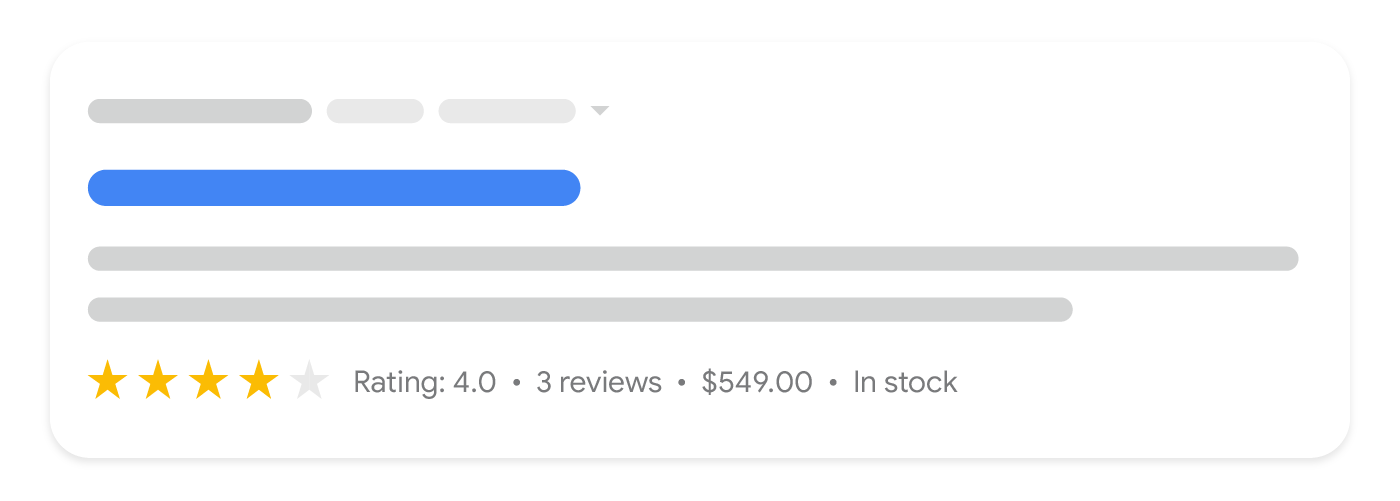 |
Google GörsellerGörsellerinizi Google tarafından dizine eklenmek üzere en iyi şekilde nasıl hazırlayacağınızla ilgili rehberlik için şuraya bakın: |  |
Google LensÜrünlerinizin |  |
Google Alışveriş sekmesiÜrünlerinizin Google Alışveriş sekmesinde bulunmasını istiyorsanız, ürünlerinizi şuraya yükleyin: | 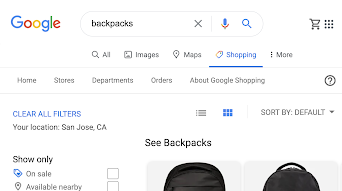 |
İşletme Profiliİşletme bilgilerinizi Google’a sağlamak için, |  |
Google HaritalarÜrünlerinizi |  |
Farklı müşteri ihtiyaçlarını karşılamak için e-ticaret içeriği oluşturun
Ürün verileri, e-ticaretle ilgili en belirgin içerik türüdür, ancak diğer bilgi türleri de alışveriş yapanlar için alışveriş yolculuklarının farklı aşamalarında yararlı olabilir. Google’daki daha fazla yüzeyde müşterilere ulaşmanıza yardımcı olabilecek bazı içerik örnekleri şunlardır:
- Şirket hikayeniz. Kimden alışveriş yaptıklarını önemseyen müşteriler için işletmenizin arkasındaki hikayeyi tanımlayın.
- Özel teklifler. Özel tekliflerinizi
özel sezonluk satış etkinlikleri
sırasında (Anneler Günü gibi) tanımlayın. - Satıcı ürün incelemeleri. Sattığınız ürünlerin derinlemesine incelemelerini sunarak, alışveriş yapanların ihtiyaçlarına en uygun ürünü bulmalarına yardımcı olmakla ilgilendiğinizi gösterin. Finansal kazanç için üçüncü taraf sitelerdeki ürünlere bağlantı verirken, şununla ilgili rehberliğimize başvurun:
ücretli bağlantılar. - Müşteri ürün incelemeleri. Yeni müşterilerin ürünlerinizi daha iyi anlamalarına yardımcı olmak için müşterilerden gelen puanları ve yorumları kabul etmeyi düşünün.
- Kataloğunuz. Alışveriş yapanların ürünü ararken kullandıkları arama terimleriyle eşleşen bilgilendirici ürün açıklamaları sağlayın. Ayrıca daha az spesifik sorguları kapsamak için kategori açıklamaları da ekleyin.
- Eğitim fırsatları. Müşterilerinizle etkileşimi artırmak için sunduğunuz atölye çalışmaları veya dersler hakkında ayrıntıları paylaşın. Örneğin, bir pastane, özellikle pasta süsleri de satıyorsa, pasta süsleme üzerine bir kurs düzenleyebilir. Ayrıca şuraya bakın:
Etkinliğinizi Google’da yayınlayın
etkinliklerle kullanılabilecek yapılandırılmış veriler için. - Canlı yayınlar. Ürünleri gösterdiğiniz, nasıl kullanılacağını açıkladığınız ve müşterilerinizden gelen canlı soruları yanıtladığınız etkileşimli canlı yayınlarda müşterilerinizle etkileşim kurun.
- Müşteri hizmetleri temas noktaları. İade ve gönderim politikalarınız (sipariş boyutuna dayalı gönderim indirimleri dahil) konusunda net olarak ve
müşteri destek iletişim noktalarınızı vurgulayarak.
Biz bunu nasıl uyguluyoruz
Free listings, Shopping tab and rich results are separate surfaces with separate requirements. We map which ones a client is eligible for during the audit, because chasing all of them at once spreads a small team too thin.
İlgili hizmetler